
It answers your questions
Every screen exists because a trader asked something about their own trading. Not to impress you with charts.
1 of 5trades with a clear answer · 118 left out because the record can't tell
Know yourself.
Build a better you.
Trading is the most honest feedback there is: it keeps knocking you down for as long as you come at it with the same mindset. You are not who you think you are...
Free, no card. Plus a bonus: the full version for your first 30 days.
It keeps knocking you down for as long as you come at it with the same mindset. You are not who you think you are. You are a set of patterns learned over a lifetime, and TradeRecall brings them into the light. You don't control the outcome, only your response. So you plan your levels in advance, and that sets you free. Building your skill as a trader, you build yourself as a person.
How it works
Your executions arrive by themselves, your voice becomes a note on the trade you are in, and nothing counts until you confirm it. At the end of the week you see which setups make money, which hours cost you, and where you broke your plan. No end-of-day typing.
The fill lands in your journal straight from your trading platform or broker. No manual entry. TradeRecall never asks for your broker password, and it can never place an order.
Say your reason out loud while the trade is live. It is written out on your own computer.
What it heard becomes a proposal — a setup, a mistake, a plan — never a fact.
One click and it is part of your record, on that trade, searchable forever.
Illustration. Prices and times are examples, not live data.
One day, kept
Five moments of one trading day — and what TradeRecall keeps from each of them.
Before the open you talk through the day. Your levels come out of your own words as a draft — and become your plan only when you confirm them. The confirmed plan is drawn on your chart.
Your trading platform hands the execution over. From Sierra Chart, NinjaTrader, Quantower and cTrader every move of your stop and target comes too, and a chart picture is taken at entry, exit and each move on a chart with the TradeRecall add-on. TradeRecall places it all against the plan you confirmed this morning.
Your reason, spoken while the trade is live, goes into that trade at the moment you said it. Written out on your own computer.
Say you are not taking it — and the numbers, if you want. It is kept as a passed trade, and later the market shows whether it would have worked, using only your numbers.
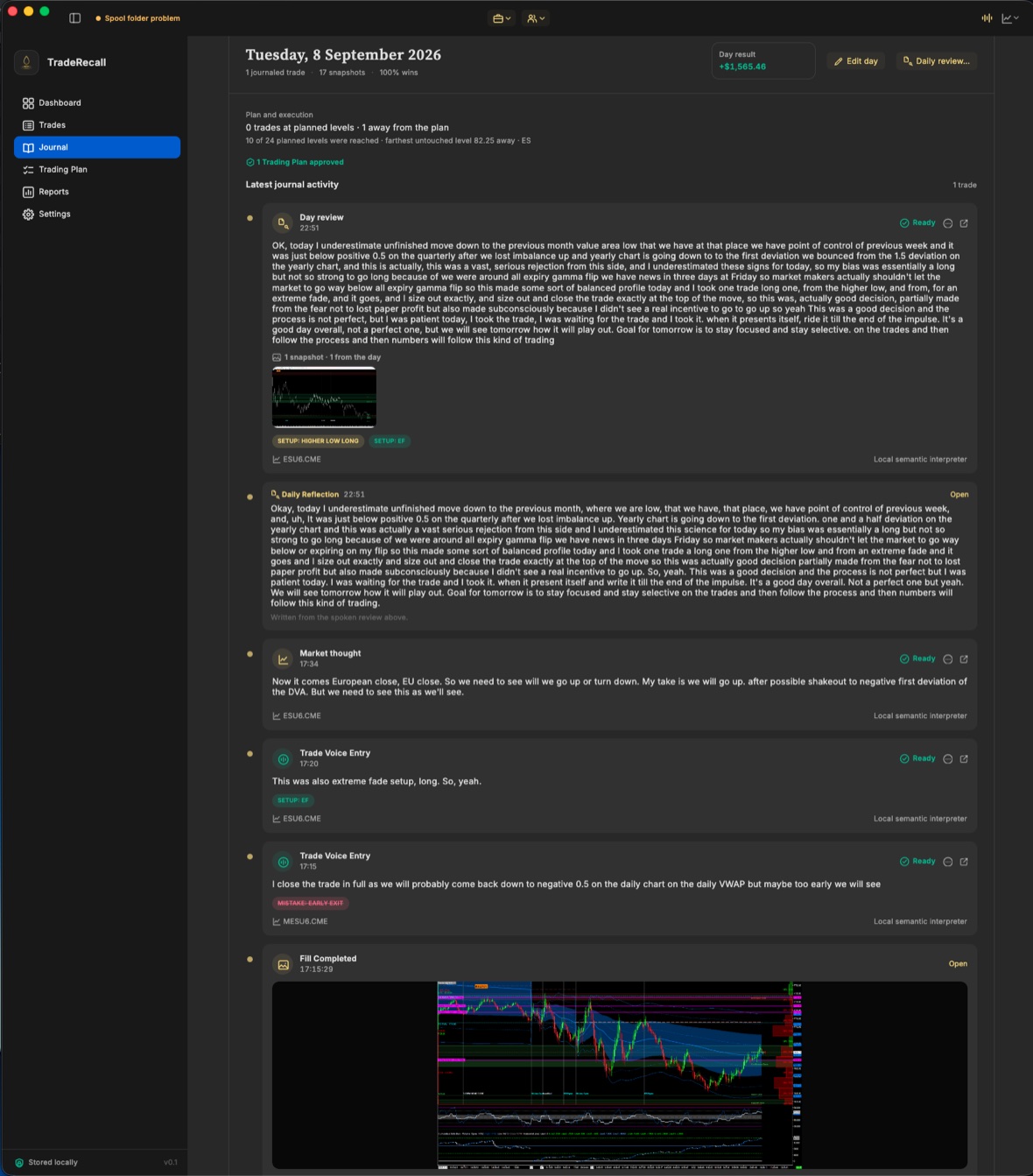
Plan beside execution, every note on its trade. Your daily review is the chapters you say or type, and a summary of the day is saved beside it.
Illustration. Prices and times are examples, not live data.
Options and stocks
An iron condor is one trade, not four. A roll or the wheel is one campaign. Your stocks, options and futures arrive by themselves from tastytrade, and from Interactive Brokers, CQG Desktop, Sierra Chart and NinjaTrader.
Legs opened in one order become one strategy: one card, one sentence, one trade in your reports. Legs you opened separately are proposed as one, and you confirm.
A roll that lost 100 and then made 320 is one win of +220. An assigned put and the covered call after it are one story, with the shares' adjusted basis.
Every order change, live Greeks and the unrealized amount at tastytrade's price. Never a guess, never in a total, and TradeRecall can never place an order.
The record
Every screen exists because a trader asks a question about their own trading — and every number it answers with is grounded in your own record. 30+ report views, and the question you type.
On your computer
Your executions, your plan, your voice — and the programs that read them — all run on your own machine. Nothing crosses this line.
What it does — and what it never does
Every screen exists because a trader asked something about their own trading. Not to impress you with charts.
It shows what happened and which patterns repeat — and because of that, every number must be right.
It looks back at your record. The next trade is always yours.
What it hears, it proposes. What you confirm, it keeps.
Your trades, your plan and your voice never leave your computer. No cloud holding your journal hostage.
A tool that goes silent while your money is at risk is worse than no tool. You always see what is connected, what is recording, and what waits for you.
Questions
Sierra Chart, NinjaTrader, Quantower, MetaTrader 5, MetaTrader 4, cTrader and tastytrade. TradeRecall runs on Windows and on macOS. The trading platforms run on Windows, so Mac traders run them in Parallels — TradeRecall sets up the connection for you; tastytrade needs no platform at all. Trades from Interactive Brokers, CQG Desktop, R|Trader Pro, MotiveWave and TradingView come in from their files.
TradeRecall connects to your trading platform on your own computer and records every execution as it happens. The app sets the connection up for you — you never edit a file by hand.
Yes. Futures, options, stocks, forex and CFDs. Options and stocks come from tastytrade (connected live), Interactive Brokers, CQG Desktop and Sierra Chart, and stocks from NinjaTrader too. An options strategy is one trade, and a roll or the wheel is one campaign. Options trading journal
No. TradeRecall writes out and reads your voice on your own computer. Nothing is uploaded.
Yes. Your journal by hand, imports from your platform's files, the reports and the export stay free for good, with no card. For your first 30 days from your first trade, the automatic part works too: trades that arrive by themselves, voice notes, their tags and chart pictures. Free trading journal
Trades no longer arrive by themselves, and voice notes, their tags and the automatic chart pictures stop. Everything you recorded stays, and the journal keeps working for free: enter trades and notes by hand, add your own chart pictures, import trades from files, and read your reports, export and back up. Nothing is deleted.
Yes. TradeRecall records every fill on your account, however you placed the order — from the chart, the DOM, a hotkey or an ATM strategy. The pictures it keeps with each trade come from your platform: in Sierra Chart the trading DOM is a chart too, so it is pictured along with your charts; in NinjaTrader the pictures are taken of your open charts of that instrument; in Quantower, of each chart that carries the TradeRecall indicator; in MetaTrader and cTrader, of the chart with your plan on it, else the one in front.
Yes. Sim trades are recorded like live ones and marked as sim, so you can look at live only, sim only, or both. Sierra Chart and NinjaTrader say which accounts are sim. On Quantower, MetaTrader and cTrader an account is recorded as live from its first trade until you mark it as a simulation account in TradeRecall, and its trades already recorded move with it. Trades taken in NinjaTrader Playback are recorded too. Trades in Sierra Chart's chart replay are not recorded.
Yes. Every account is recorded under its own name and shown separately, whether it's a Sim account in your platform or an account at a prop firm. You decide which accounts are recorded and how they're grouped into portfolios.
No. Your journal lives on your own computer, so the only limit is your disk space. There's no limit on the number of accounts either.
Yes. You can back up your journal at any time and restore it on another computer. Everything you recorded comes with it, including chart pictures and voice notes.
What really counts
Your PnL has never made anyone a better trader. Following a process does — and a process you cannot remember is a process you cannot follow.
Start free