TradeRecall

Voice notes

Voice trading journal: say why while you trade

One key combination starts and stops the recording, also while your trading platform is in front. The note goes into the trade you are in, at the moment you said it, and your words become text on your own computer.

Start free

Free, no card. Plus a bonus: the full version for your first 30 days.

One key, mid-trade

  • ⌥⌘J on a Mac, Win+Shift+J on Windows: press once to start, once to stop.
  • It works while your trading platform is in front. You don't leave the chart.
  • With one trade open, the note goes into that trade, at the moment you spoke.
  • With several trades open, TradeRecall suggests the trade and waits for you to confirm it.
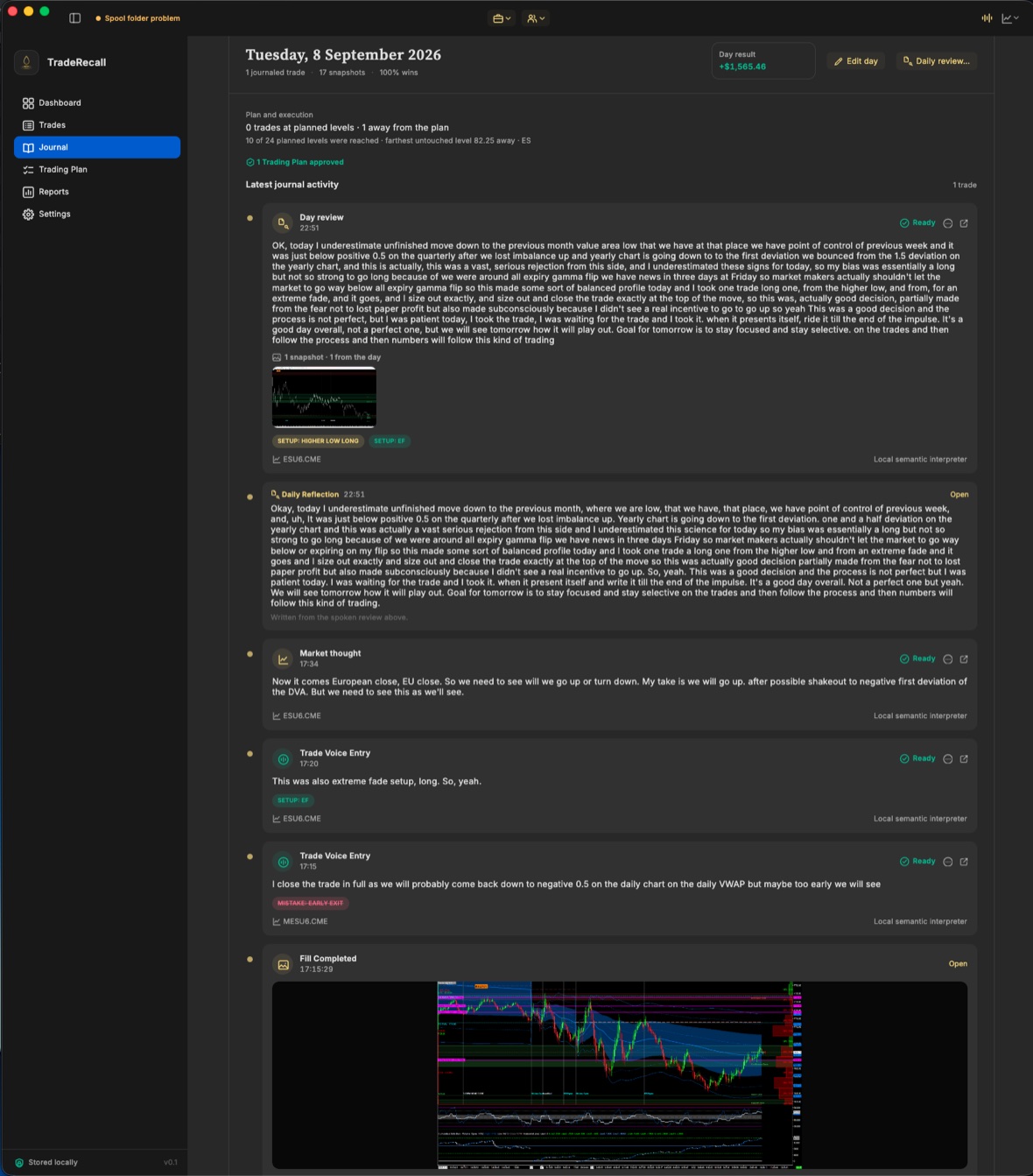
Turned into text on your computer

  • Your speech becomes text on your own computer. Nothing from your journal goes to anyone's servers.
  • Dictation in 100 languages. TradeRecall itself is in 28.
  • TradeRecall reads the note and suggests a setup, a mistake or a tag. Nothing counts until you confirm it.
  • The suggestions need 24 GB of memory or more. With less, your notes are still turned into text.
A day in the TradeRecall journal: a trade with its stop and target, and the voice notes said during it, in the order they happened.

Trading journal voice notes, step by step

  1. Press ⌥⌘J or Win+Shift+J and say why you are taking the trade, moving the stop or getting out.
  2. Press it again to stop. The note shows in Journal while it is turned into text.
  3. Confirm or change what TradeRecall suggests. Only what you confirm becomes part of your record.

Why say it during the trade

After the close you already know how the trade ended, and memory bends toward it. A note said at the moment you acted keeps what you saw then. How to journal your trades

Start free