
Every stop and target move
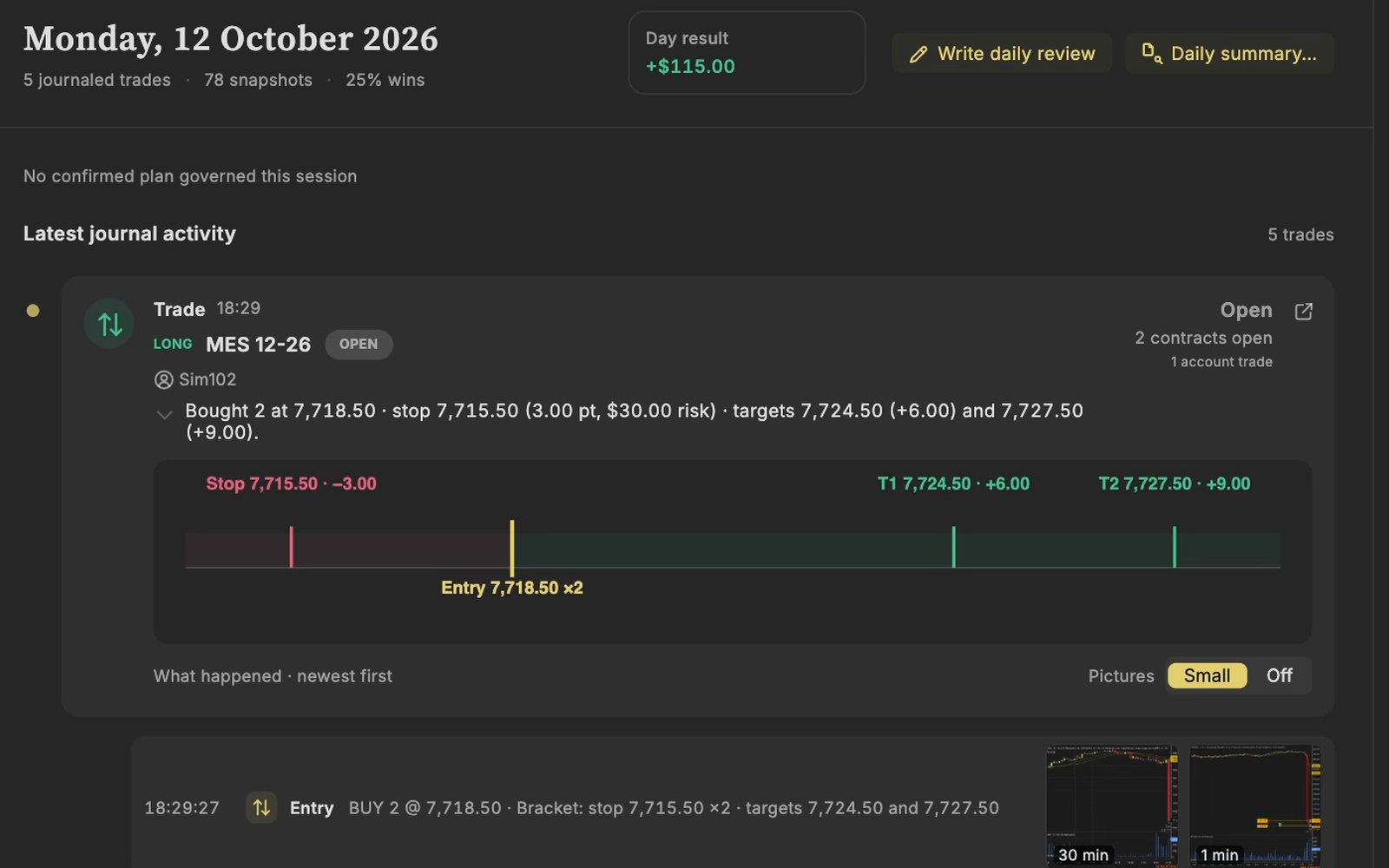
Your stop and target come with the trade, and each time you move one, the new price and the time are kept.
NinjaTrader 8 has its own window for looking back at your trades, Trade Performance. TradeRecall works beside it, inside NinjaTrader through an add-on, and keeps what happens during the trade.
Free, no card. Plus a bonus: the full version for your first 30 days.
From the NinjaTrader 8 Help Guide. Trade Performance is opened from the Control Center, under New.
TradeRecall's add-on runs in NinjaTrader 8 on Windows, or on a Mac with Apple silicon in Windows under Parallels, and takes every execution on every account NinjaTrader shows, on a Rithmic or Tradovate connection too.
Your stop and target come with the trade, and each time you move one, the new price and the time are kept.
A picture is taken at every fill and every order placed, moved or cancelled, on each chart that carries the TradeRecall indicator.
Press Win+Shift+J while NinjaTrader is in front, say why you are in; the note goes into that trade.
Yes: the Journal display of the Account Performance window keeps entries you type, by date or on an execution or a trade, and Trade Performance gives the statistics. A trading journal such as TradeRecall adds what happens during the trade: your stop and target moves, pictures of your chart and what you say. NinjaTrader trading journal
With TradeRecall, yes: every move of your stop and target is kept in the trade, with its time and price, as it happens. TradeRecall records them while NinjaTrader is open. Voice trading journal
It adds one add-on, imported once, and an indicator you put on the charts you want pictures of. Trade Performance stays as it is.
No. The add-on works inside NinjaTrader, so TradeRecall never asks for your broker login.
No. You buy it once for $300 and it is yours for good. Or you pay $33 a month, and after the 12th payment it is yours for good. If you stop the monthly payments before that, nothing is lost: the free journal keeps everything you recorded, and only the automatic features stop.
What we say about NinjaTrader comes from the NinjaTrader 8 Help Guide (Trade Performance, Using Trade Performance, Performance Displays and Statistics Definitions), checked on 27 October 2026. If something there has changed, tell us at support at traderecall.app and we will fix this page.
TradeRecall is a trading journal for futures, forex and CFD traders that records every fill live from Sierra Chart, NinjaTrader, Quantower, MetaTrader and cTrader, puts what you say during a trade on that trade, and keeps everything on your computer.