TradeRecall

Platforms

Trading journal for NinjaTrader

Every execution on your NinjaTrader 8 accounts arrives in your journal by itself, with your stops, targets and a picture of the chart. Simulation and live accounts stay apart.

Start free

Free, no card. Plus a bonus: the full version for your first 30 days.

What TradeRecall records

One add-on, imported once. TradeRecall listens to NinjaTrader's own account events.

  • Every execution on every account NinjaTrader shows is recorded as it happens, on a Rithmic or Tradovate connection too.
  • Stops, targets and every move of them are recorded with the trade.
  • A picture of the chart is taken at every fill, on each chart that carries the TradeRecall indicator.
  • Simulation and live accounts are kept apart.
  • NinjaTrader cannot give past executions back, so only what happens while NinjaTrader is open is recorded.
  • Works with NinjaTrader 8, on Windows.
  • Say why mid-trade: ⌥⌘J on a Mac or Win+Shift+J on Windows starts and stops a voice note, also with your platform in front. The note goes into the trade you are in, at the moment you said it. Voice trading journal
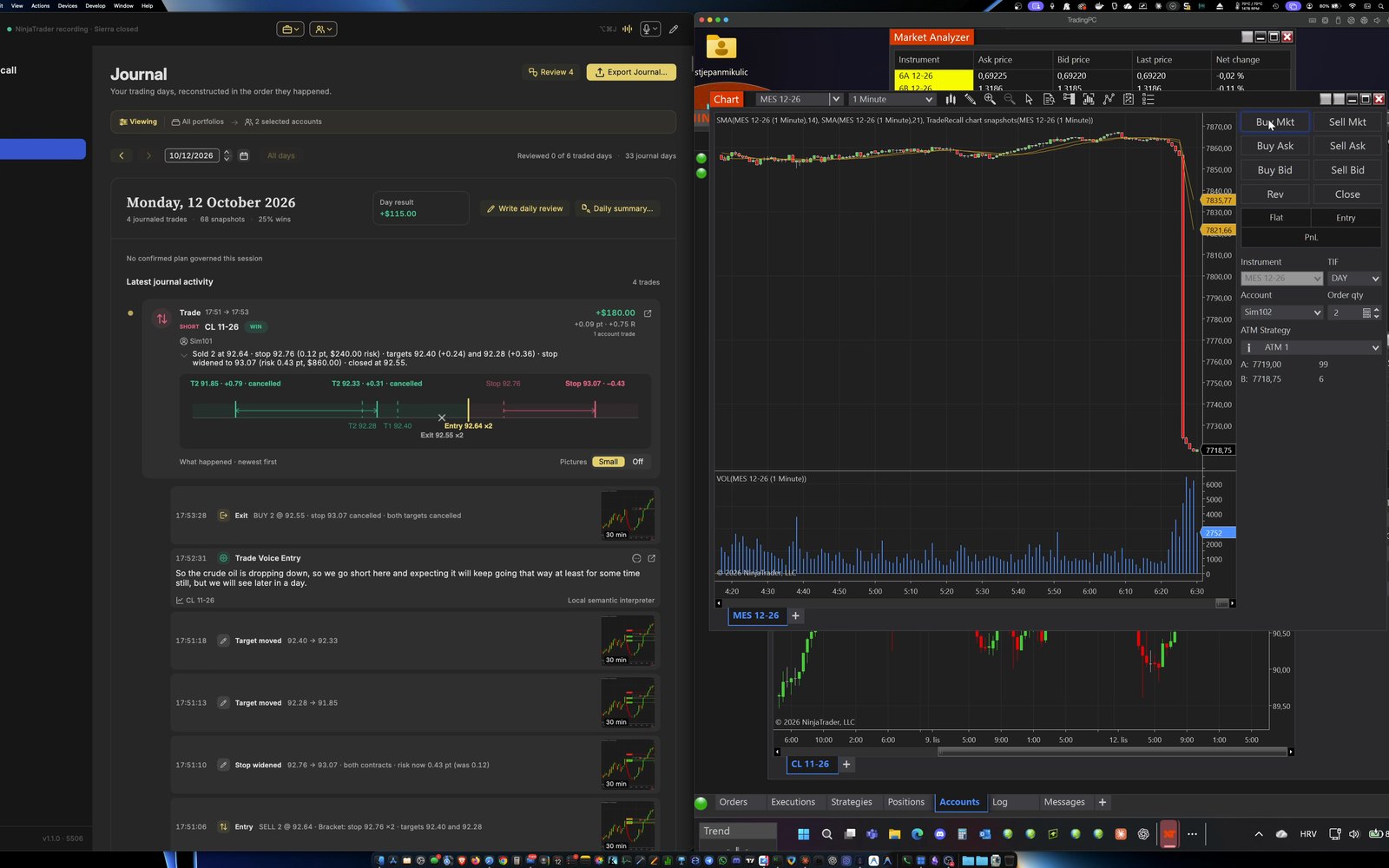
The TradeRecall journal beside NinjaTrader: a trade on a Sim account, with each stop and target move listed and a chart picture at each one.
NinjaTrader on a Sim account, with TradeRecall beside it.

How you set it up

  1. In TradeRecall, open Settings › Platforms › NinjaTrader and press Save the add-on to Documents.
  2. In NinjaTrader: Tools › Import › NinjaScript…, pick the file from the TradeRecall folder in Documents and press Import. Answer Yes when it asks to trust the add-on, and restart NinjaTrader when it asks.
  3. Back in TradeRecall, press Point NinjaTrader here. Keep NinjaTrader open while you trade: the add-on records only while it runs.
  4. For chart pictures, add the TradeRecall chart snapshots indicator to each chart you trade from. TradeRecall tells you which open charts do not carry it.

The setup guide shows the steps for each platform.

On a Mac

NinjaTrader runs in Windows under Parallels on a Mac. TradeRecall on the Mac saves the add-on straight into the Documents folder of that Windows, where NinjaTrader imports it from.

Start free

← All platforms

Compare trading journals