
Trades, not lines
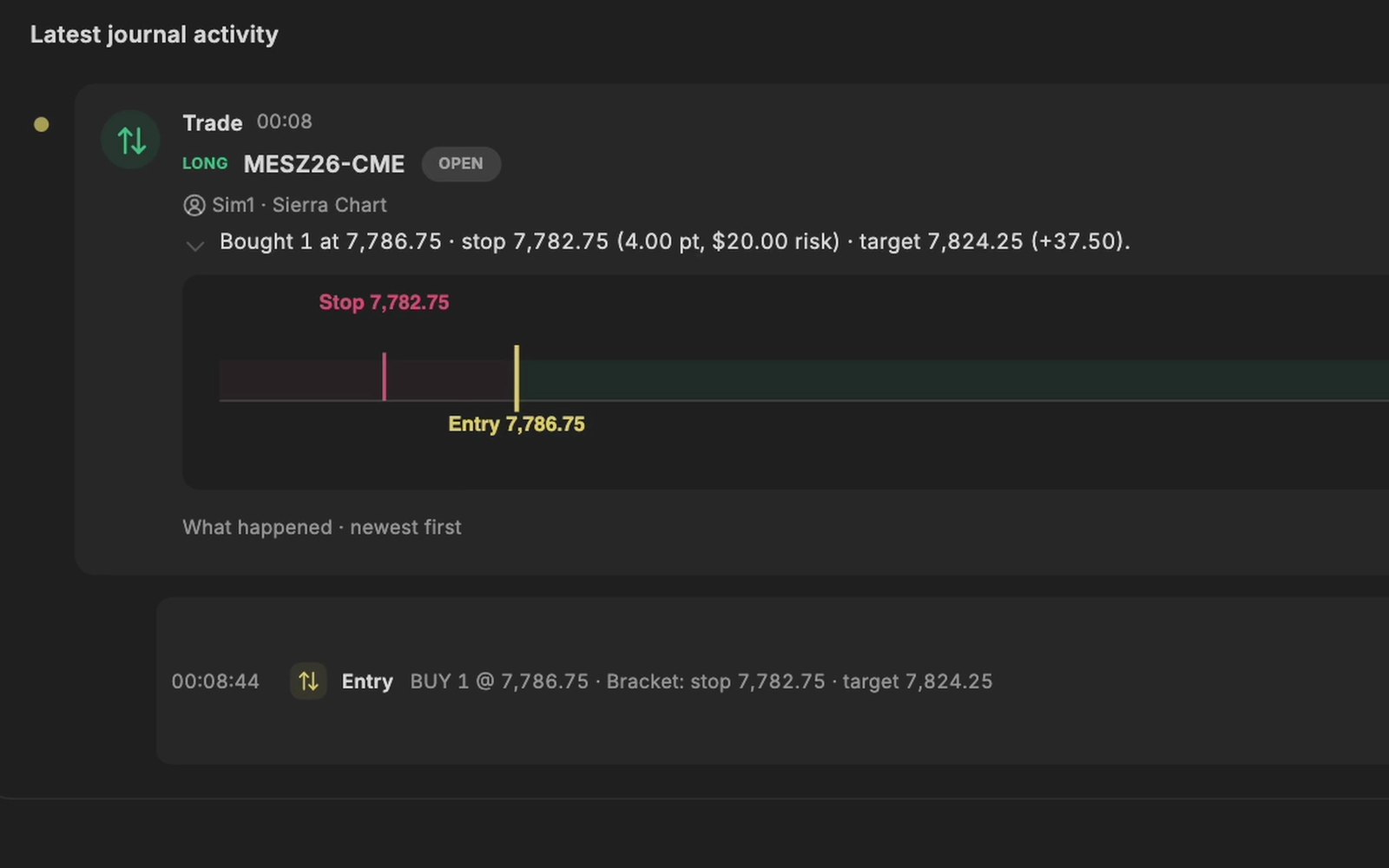
Each execution on every account Sierra Chart reports becomes part of a trade in your journal as it happens, simulation and live kept apart.
Sierra Chart writes down every order and every fill in its Trade Activity Log, and builds trade statistics from them. TradeRecall reads the same trading as it happens, through a study on your chart, and turns it into a journal with your words and your chart in it.
Free, no card. Plus a bonus: the full version for your first 30 days.
From Sierra Chart's documentation of the Trade Activity Log (Trade › Trade Activity Log).
TradeRecall works in Sierra Chart through one study in a chart, on every Sierra Chart installation on the computer, for Sierra Chart 2969 or newer, on Windows.
Each execution on every account Sierra Chart reports becomes part of a trade in your journal as it happens, simulation and live kept apart.
A picture of the chart you trade on is taken at every entry and exit and at every stop or target move, with nothing to save by hand.
One key combination, even with Sierra Chart in front; what you say goes into the trade you are in.
TradeRecall works with Sierra Chart live, through a study in your chart, and without your broker login. Fills made while TradeRecall was not listening are fetched from Sierra Chart the next time it connects, once a chart with the study is running for that symbol. A saved Trade Activity Log can be imported too. Sierra Chart trading journal
It is Sierra Chart's record of orders and fills, with statistics built from them. A journal adds why you took the trade, what the chart looked like, which setup it was and what you learned; TradeRecall builds those around the fills Sierra Chart reports. Free trading journal
Yes, on a Mac with Apple silicon: Sierra Chart runs in Windows under Parallels, and TradeRecall sets up the connection into it.
Yes. Save the Trade Activity Log in Sierra Chart and import it in Trades › Import.
No. You buy it once for $300 and it is yours for good. Or you pay $33 a month, and after the 12th payment it is yours for good. If you stop the monthly payments before that, nothing is lost: the free journal keeps everything you recorded, and only the automatic features stop.
What we say about Sierra Chart comes from Sierra Chart's documentation of the Trade Activity Log, checked on 27 October 2026. If something there has changed, tell us at support at traderecall.app and we will fix this page.
TradeRecall is a trading journal for futures, forex and CFD traders that records every fill live from Sierra Chart, NinjaTrader, Quantower, MetaTrader and cTrader, puts what you say during a trade on that trade, and keeps everything on your computer.