TradeRecall

Platforms

Trading journal for Sierra Chart

Every execution on your Sierra Chart accounts arrives in your journal by itself, with your stops, targets and a picture of the chart at every entry, exit and stop or target move.

Start free

Free, no card. Plus a bonus: the full version for your first 30 days.

What TradeRecall records

One study in a chart. TradeRecall listens to Sierra Chart's own DTC server.

  • Every execution on every account Sierra Chart reports is recorded as it happens, from every Sierra Chart installation on the computer.
  • Stops, targets and every move of them are recorded with the trade.
  • A picture of the chart you trade on is taken at every entry and exit and at every stop or target move.
  • Simulation and live accounts are kept apart.
  • Fills made while TradeRecall was not listening are fetched from Sierra Chart the next time it connects, once a chart with the study is running for that symbol.
  • Works with Sierra Chart 2969 or newer, on Windows.
  • Say why mid-trade: ⌥⌘J on a Mac or Win+Shift+J on Windows starts and stops a voice note, also with your platform in front. The note goes into the trade you are in, at the moment you said it. Voice trading journal
Free tool

Window Layouts for Sierra Chart

Each chartbook remembers its window layout for every monitor setup, at your desk and on your laptop, and puts it back by itself.

Get Window Layouts free

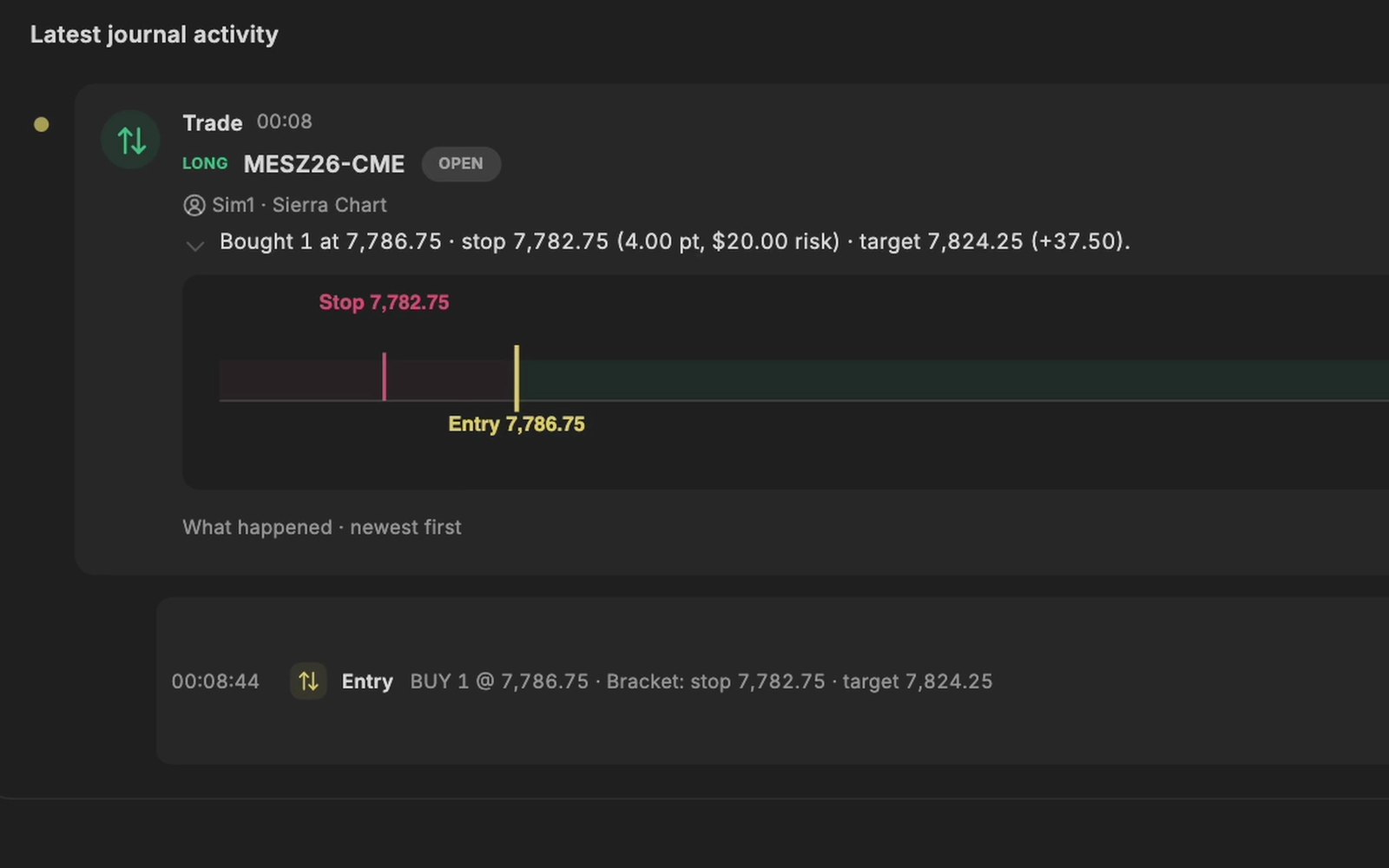
A buy in Sierra Chart on a Sim account, arrived in the TradeRecall journal with its stop and target.
Recorded on a Sim account in Sierra Chart.

How you set it up

  1. Sierra Chart has to be version 2969 or newer. Switch on its DTC server: Global Settings › Sierra Chart Server Settings › Enable DTC Protocol Server, with Allow Trading. TradeRecall only listens through it; it never places an order.
  2. In TradeRecall, open Settings › Platforms › Sierra Chart and press Put the study into every Sierra Chart on this computer. Then close Sierra Chart and start it again.
  3. In Sierra Chart, on the chart you trade: Analysis › Studies › Add Custom Study › JournalingBridge › TradeRecall Recorder › Add › OK, then File › Save.
  4. On Windows, press Start the collector in the same place in TradeRecall. On a Mac with Sierra Chart in Parallels this happens by itself.

The setup guide shows the steps for each platform.

On a Mac

Sierra Chart runs in Windows under Parallels on a Mac. TradeRecall on the Mac finds every Sierra Chart installation there and puts the study and the collector into each.

Start free

← All platforms

Compare trading journals