How you set it up
- Close Sierra Chart. Copy both files from the zip into Sierra Chart's Data folder. Sierra Chart loads the one that fits your computer.
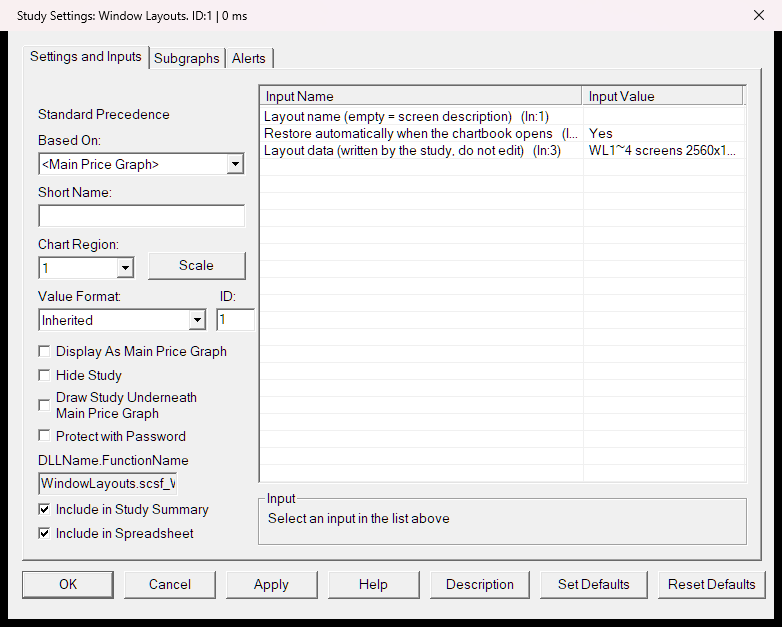
- Start Sierra Chart and open the chartbook you trade with. On one chart only: Analysis › Studies › Add Custom Study › TradeRecall Window Layouts › Add › OK.
- Arrange your windows. Right-click the chart with the study › Save layout for this screen setup. Do the same once on every computer or screen setup you use.
- From then on the layout comes back by itself about 3 seconds after the chartbook opens. By hand: right-click › Restore layout.
The README in the zip has the rest: naming a layout, turning the automatic restore off, removing the study.
It does not change fonts, and it does not place windows that are not charts, such as the Trade Window or the Message Log.
Your email and this tool
Terms of use
Free to use. Provided as is, without warranty of any kind; TradeRecall is not liable for any loss that comes from using it. You may not sell it or share it under another name.
Terms & licence · Privacy
From TradeRecall
TradeRecall is a trading journal that records every fill from Sierra Chart by itself.
TradeRecall with Sierra Chart →