TradeRecall

TradeRecall › Compare

Google Sheets trading journal template, or a free journal

Google Sheets is free, opens on any computer and on your phone, and many traders share trading journal templates for it. What none of them does is take the trades from your platform for you.

Start free

Free, no card. Plus a bonus: the full version for your first 30 days.

Free, and it stays free

  • enter trades and notes by hand, or import them from your platform's files;
  • standard reports, export and backup;
  • link your notes to trades by hand;
  • attach your own chart pictures to any note and to the day's review;
  • the full version for your first 30 days, no card; an email address for the key.
Where it gets heavy

  • each session ends with pasting your fills into the right rows;
  • a shared template's formulas break the day you change its layout;
  • your trades sit on Google's servers, next to everything else in your account.

A Google Sheets journal and TradeRecall

“Free” is TradeRecall's free journal, which does not expire; “full” is the full version, yours for the first 30 days.

Feature TradeRecall Google Sheets
Getting the trades in
After each sessionFree: import your platform's file in one step. Full: nothing to do, the fills are already therePaste or type the fills into the template
PlatformsSierra Chart, NinjaTrader, Quantower, MetaTrader, cTrader; import from TradingView and othersAny, by hand
The columns a sheet cannot fill
Every stop and target moveFull: from Sierra Chart, NinjaTrader, Quantower, MetaTrader and cTrader, with time and priceOnly what you remember to type
The chart at each fill and moveFull: taken by itself on your chart in the platform at every fill and every stop or target move; on NinjaTrader, Quantower, MetaTrader and cTrader also at every order placed or cancelledA link to a screenshot you upload
Your reasonFull: one key combination, said during the tradeA text cell after the close
The rest
StatisticsFree: win rate and expectancy per setup and per mistakeAs far as the template's formulas go
Where your trades areOn your computerIn your Google account

Is there a free trading journal better than a Google Sheets template?

For futures, forex and CFDs, TradeRecall's free journal does what a template asks you to do by hand: it imports your platform's file and keeps each account apart, and its reports give win rate and expectancy per setup. It runs on Windows and on a Mac with Apple silicon; the free key needs an email address, not a card. Free trading journal

Can I use a template on my phone and TradeRecall on my computer?

Yes, they do not get in each other's way. TradeRecall has no phone app; it sits on the computer you trade on, because that is where your platform, your chart and your voice are during the trade. Trading journal for Mac

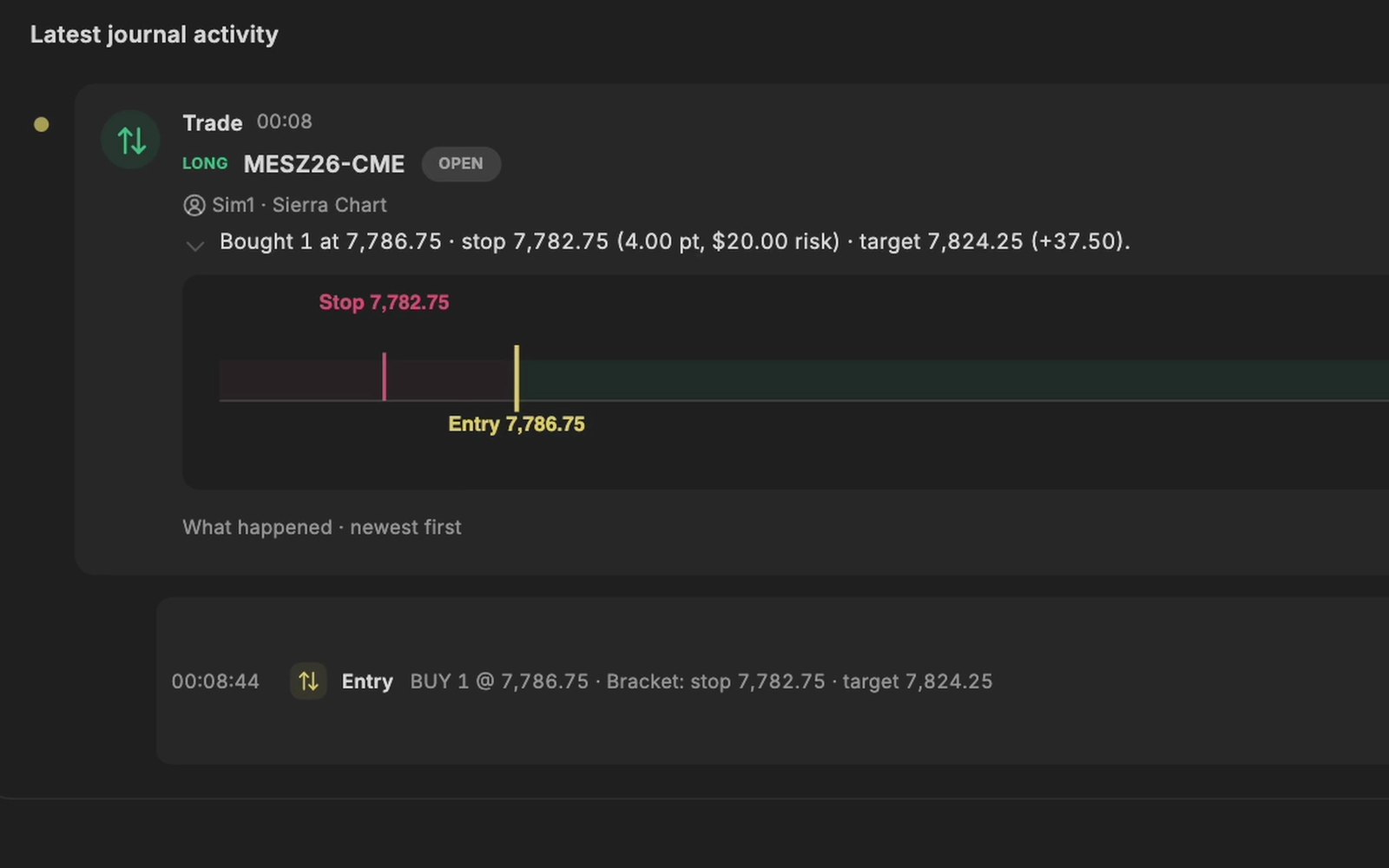
A buy in Sierra Chart on a Sim account, arrived in the TradeRecall journal with its stop and target.
Recorded on a Sim account in Sierra Chart.

Questions

Does TradeRecall have a template I can fill in?

It does not need one: a trade already has its fills, its setup, its mistakes and your notes, whether you enter it by hand or import it.

Is my journal shared with anyone?

No. It is on your computer, and nothing from it goes to anyone else's servers.

What do I need to start?

Windows, or a Mac with Apple silicon, and an email address for the free key. No card.

This page was checked on 27 October 2026. If something on it is wrong, tell us at support at traderecall.app and we will fix it.

TradeRecall is a trading journal for futures, forex and CFD traders that records every fill live from Sierra Chart, NinjaTrader, Quantower, MetaTrader and cTrader, puts what you say during a trade on that trade, and keeps everything on your computer.

Start free