TradeRecall

TradeRecall › Compare

Trademetria alternative for futures traders: TradeRecall vs Trademetria

Trademetria is a web journal with a free plan; for the futures platforms it takes a file you export, and syncs some brokers on its Pro plan. TradeRecall sits next to your platform and writes the trade down while it happens.

Start free

Free, no card. Plus a bonus: the full version for your first 30 days.

Free, and it stays free

  • enter trades and notes by hand, or import them from your platform's files;
  • standard reports, export and backup;
  • link your notes to trades by hand;
  • attach your own chart pictures to any note and to the day's review;
  • the full version for your first 30 days, no card; an email address for the key.

TradeRecall fits you if

  • you place more trades than a monthly import limit allows;
  • you want your fills from Sierra Chart, NinjaTrader or Quantower without exporting anything;
  • you trade prop firm accounts and want the trailing drawdown counted tick by tick, by the rule of your account;
  • you want the stop and target you really used, and each move of them, in the trade;
  • you want to talk through your trades instead of typing them up at night.

TradeRecall vs Trademetria, side by side

Futures, forex and CFDs only, on the platforms TradeRecall works with.

Feature TradeRecall Trademetria
How your trades get in
Sierra ChartLive, from a study in your chartFile upload of the Activity Log
NinjaTrader 8Live, from an add-onFile upload, or sync through Tradovate (Pro)
MetaTrader 4 and 5Live, from an Expert AdvisorSync (Pro) or file upload
cTraderLiveFile upload
QuantowerLiveFile upload
Rithmic accountsLive through Sierra Chart, NinjaTrader or QuantowerFile upload
TradingViewImport of TradingView's own export for futures, with your stop moves from its Activity logFile upload of your order history
What each trade keeps
Stop and targetRead from your platform, with every moveYou set stops and targets; whether moves are recorded is not on their site
Chart pictureTaken by itself on your chart in the platform at every fill and every stop or target move; on NinjaTrader, Quantower, MetaTrader and cTrader also at every order placed or cancelledYour buys and sells on a chart; images you upload
Your voiceA hotkey while the trade is live: the note goes into that trade at the moment you said it, written out on your computerNot on their site
Plan and review
Premarket planSpoken; your levels drawn on your chartNot on their site
Trades you passed onSay you are passing and your numbers; checked later against the marketNot on their site
SuggestionsRuns on your computer and reads setups, mistakes and plan levels from what you sayAI Insights and AI Assistant, in the cloud (Pro)
Prop firm accountsEach account on its own. Trailing drawdown counted tick by tick by the rule you set, beside the balance Sierra Chart, NinjaTrader or Quantower reportNot on their site
Where it runs and what it costs
Where your journal livesOn your computer, Windows or a Mac with Apple siliconOn their servers, data processed in the USA, opened in the browser
Price$300 once, or $33 a month for 12 months, then it's yoursBasic $19.95 and Pro $29.95 a month; $169 or $249 a year
FreeThe journal is free and stays free; the full version for your first 30 daysA free plan: 30 orders a month, 1 account
RefundsWithin 14 daysOnly “in cases where coding errors, which cannot be resolved by our team after notification, continue to persist”

Is Trademetria free for day traders?

Its free plan imports up to 30 orders a month for one account; an active day trader can reach that within days. TradeRecall's free journal does not count orders: enter trades and notes by hand, import your platform's files, and keep the standard reports and export. The live part is yours for 30 days from your first trade, without a card. Free futures trading journal

Do I have to export a file from Sierra Chart every day?

With Trademetria, yes: their Sierra Chart guide has you save the Trade Activity Log and upload it. With TradeRecall, no: a study on your Sierra Chart chart passes each fill to your journal as it happens. Sierra Chart trading journal

What only TradeRecall keeps

A file exported at night has the fills. The trader who made them is already somewhere else.

The reason, at entry

Say why you took it, while you hold it. Your words stay in that trade with the time you said them.

What your stop did

Every adjustment of your stop and target, kept in order, so you can see what you did with your risk.

The chart as it was

A picture of your chart in the platform at every fill and every stop or target move.

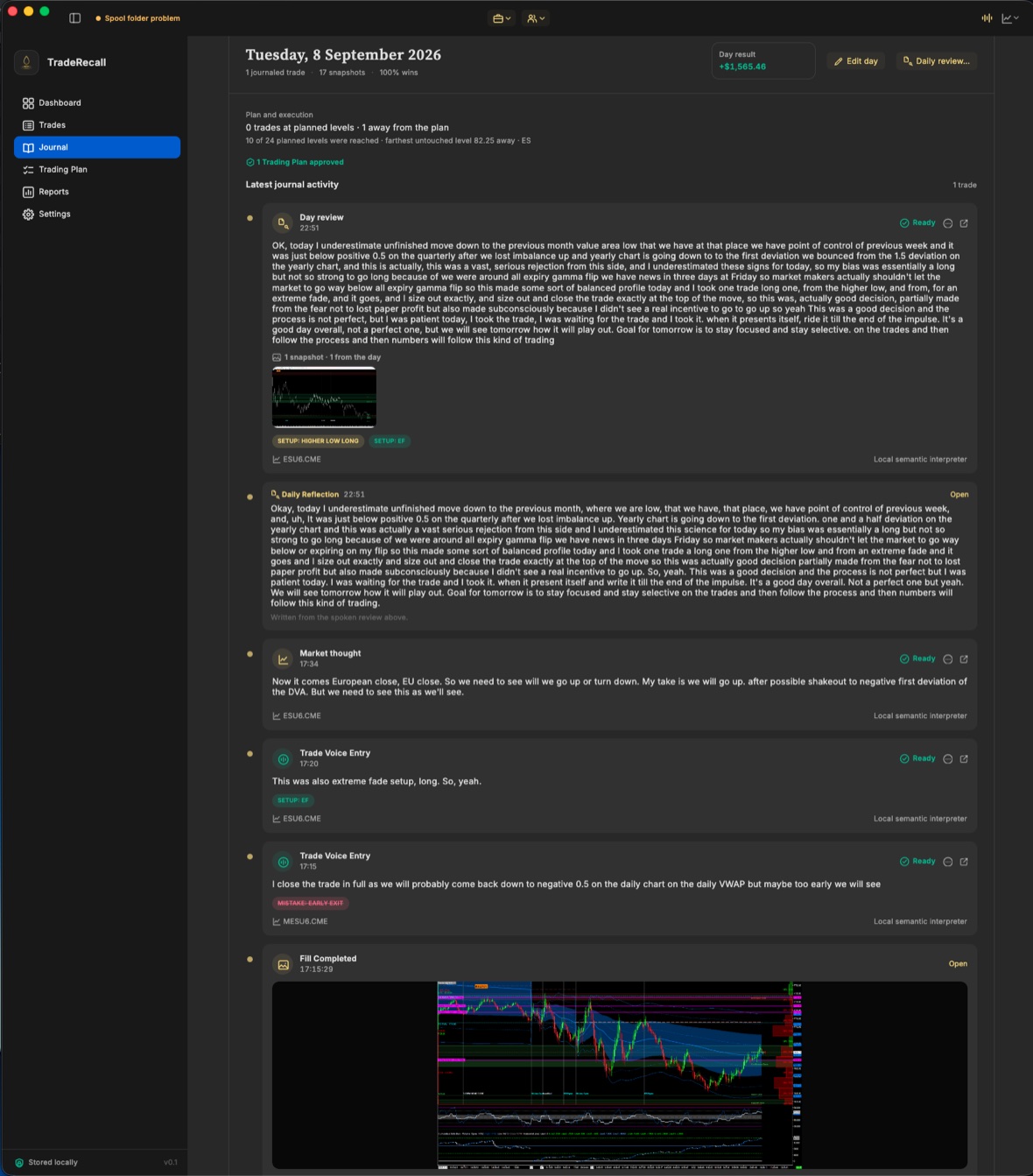
A trading day in the TradeRecall journal: the trades, what was said during them, and the plan beside them.

Questions

Does TradeRecall keep separate accounts?

Yes. Every account is kept apart, and simulation and live are never mixed; evaluation and funded accounts can be kept apart in portfolios.

Where are my trades stored with TradeRecall?

On your computer. Nothing from your journal goes to anyone else's servers.

Does TradeRecall work on a Mac?

Yes, on a Mac with Apple silicon. Sierra Chart and NinjaTrader run in Windows under Parallels there, and TradeRecall sets up the connection to them.

What we say about Trademetria comes from trademetria.com, its pricing, help and integration pages and its privacy policy, checked on 27 October 2026. If something there has changed, tell us at support at traderecall.app and we will fix this page.

TradeRecall is a trading journal for futures, forex and CFD traders that records every fill live from Sierra Chart, NinjaTrader, Quantower, MetaTrader and cTrader, puts what you say during a trade on that trade, and keeps everything on your computer.

Start free